

Bet tracker for Australian punters and matched bettors
All your bets
in one place
Track every bet, bonus and bookmaker, and know exactly where you stand.
- Free to use. No card.
- Track bets on 90+ bookmakers with the Chrome extension
- Betfair syncs on its own. Import from Bonusbank, Sportsbet or CSV.
Every new account gets 7 days of Premium
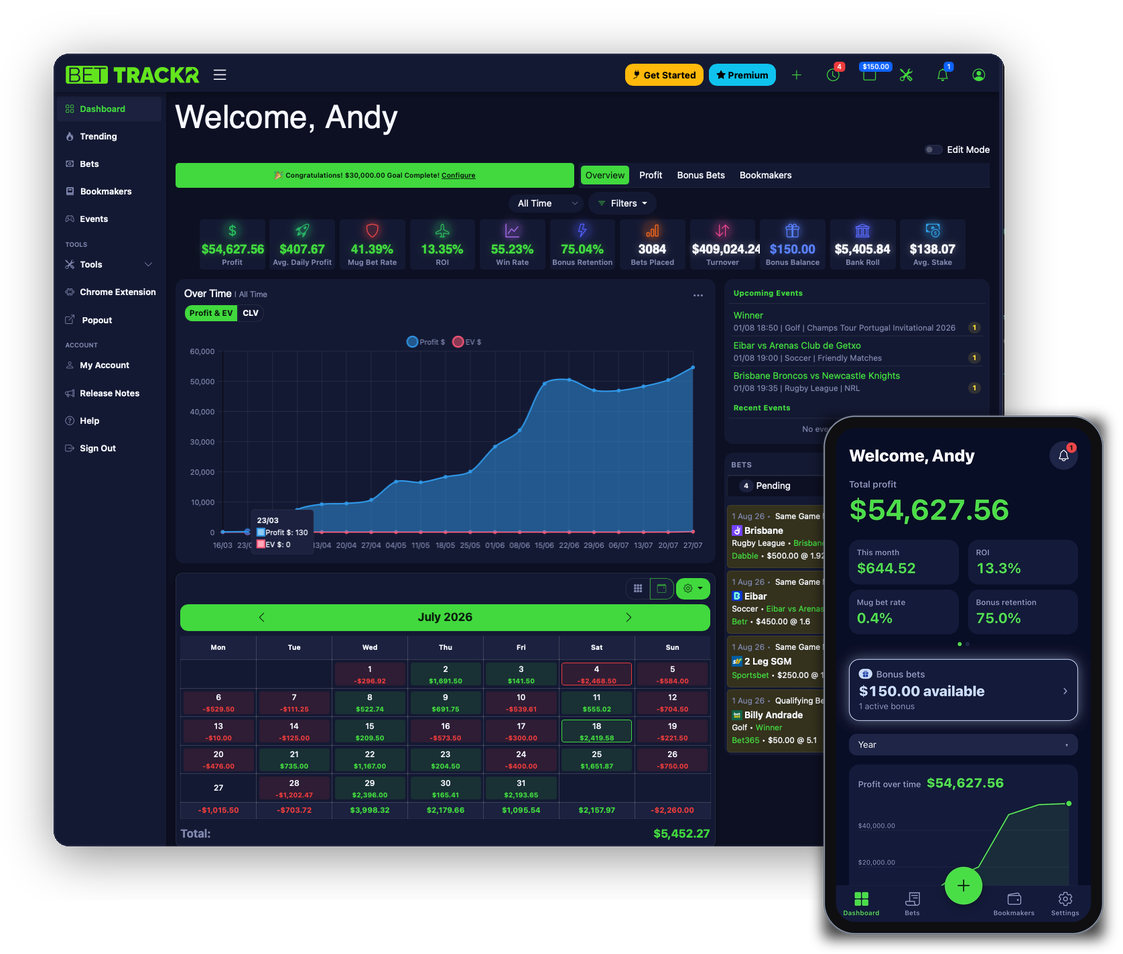
Figures shown are illustrative.
Get the app
Free on iPhone and Android.
Works with 90+ Australian bookmakers, including:




Track bets as you place them
The Chrome extension adds a Track button to the bet slip on 90+ Australian bookmakers. On your phone, screenshot or scan any bet slip. Betfair bets sync on their own.
- Extension: one click on the slip and the bet is in
- Phone: screenshot, share or scan a slip from any bookmaker
- Betfair: exchange bets sync and result themselves

Figures shown are illustrative.
Know exactly where you stand
Profit, ROI, turnover and bankroll on one screen. Cash and bonus stakes are kept apart, so bonus turnover never inflates your real numbers.
- Break it down by bookmaker, sport, bet type or your own tags
- Set a goal and see how far off you are
- Pending bets result themselves when the event finishes
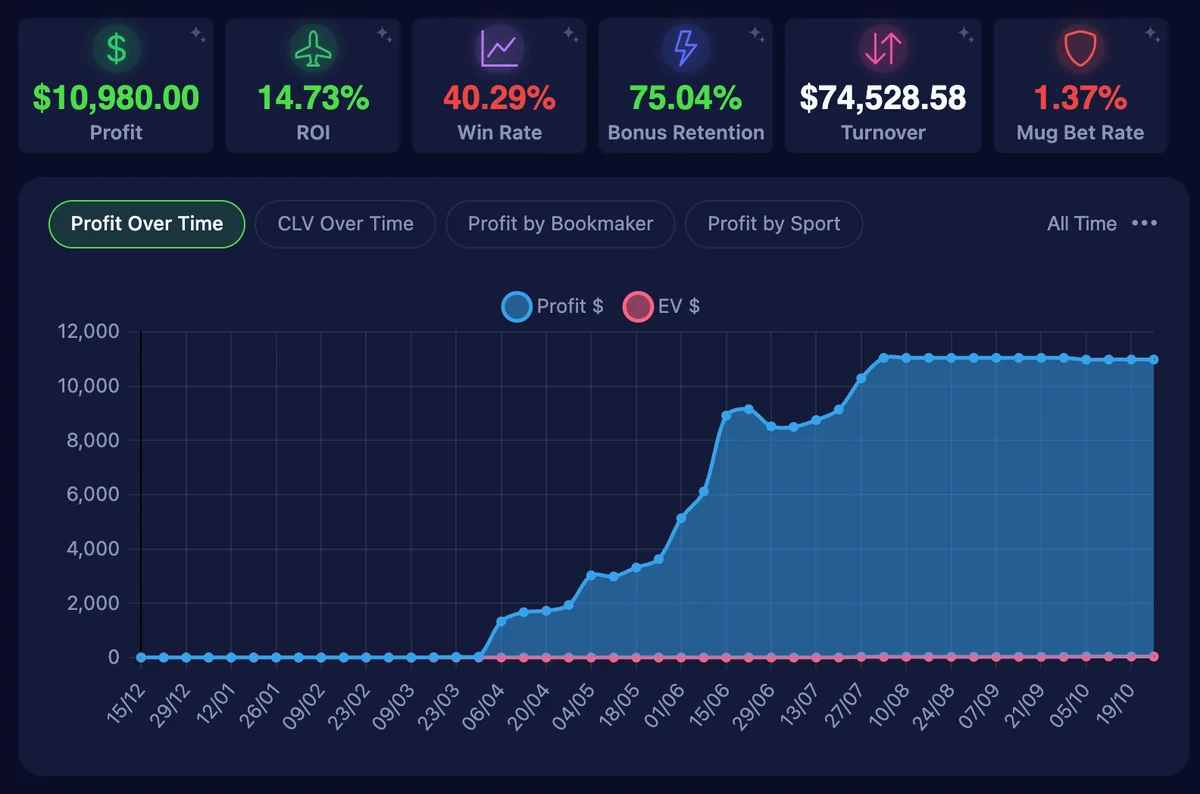
Figures shown are illustrative.
Find out what's actually working
Charts, pivots and breakdowns well past the dashboard. The horse racing view shows your profit by jockey, trainer, track, distance, class and price.
- Jockeys and trainers: profit for each one you've backed
- Closing line value: how often you beat the Betfair starting price, and by how much
- Workbench: pivot any two fields, like profit by track and jockey
Part of Premium. Every new account gets 7 days free.
Try Premium free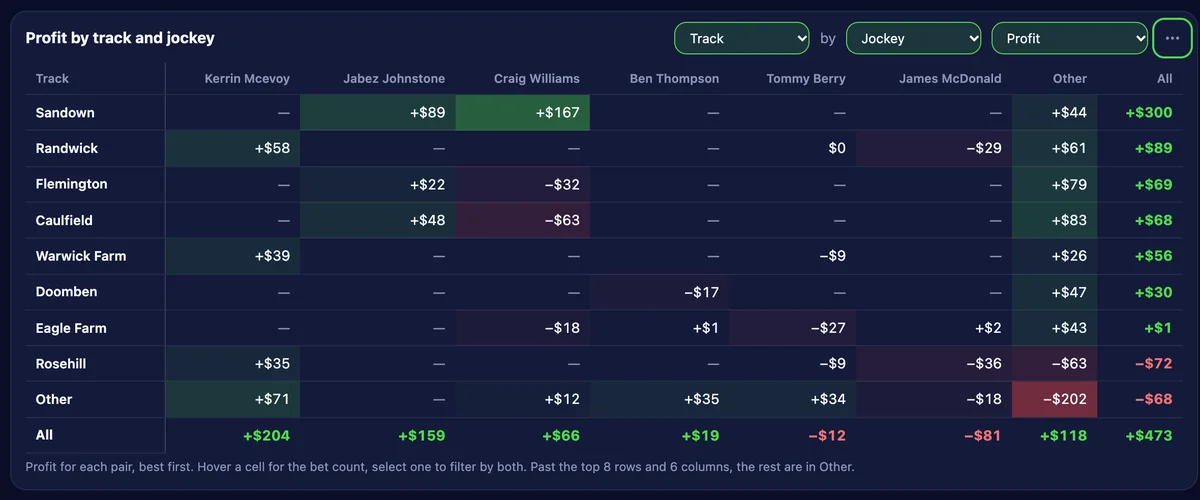
Figures shown are illustrative.
Use every bonus before it expires
Every bonus bet and deposit bonus, per bookmaker, with its expiry date. BetTrackr reminds you before one lapses.
- Stake not returned (SNR) and stake returned (SR) bonuses tracked separately
- Bonus retention worked out for you
- A calendar of what expires and when
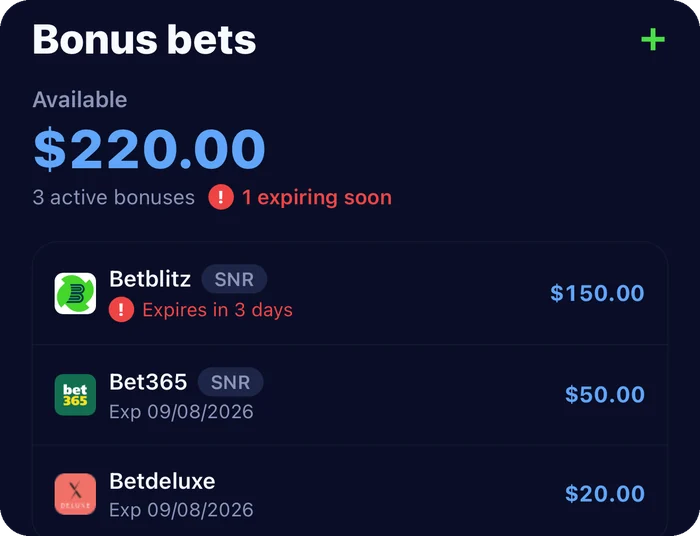
Figures shown are illustrative.
Spot the warning signs early
Bookmakers restrict accounts that look like matched betting. BetTrackr tracks the numbers they look at, per bookmaker, against targets you set.
- Mug bet rate and bonus retention for each account
- Colour-coded against your own targets
- Mark an account as gubbed (restricted) and keep its history
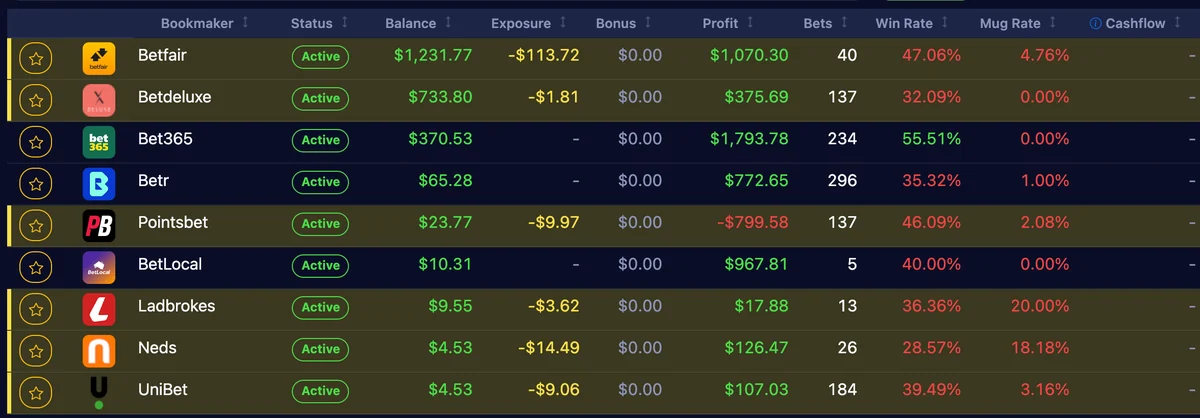
Figures shown are illustrative.
Pricing
Standard is free. Every new account gets 7 days of Premium, no card needed.
Premium
$19.95 a month
or $199.95 a year. First 7 days free.
Everything in Standard, plus:
- Chrome extension: track bets from bookmaker sites as you place them
- Trending: popular markets, races and promotions
- Analysis: charts, pivots and breakdowns of your betting record
- Back/lay calculator
- PDF bet reports: monthly, annual and more
- CSV export: download your bets with your filters applied
- Black Book: runner watchlist with race-day alerts
- Journal: notes and reflections alongside your bets
Standard
Free
No card, no time limit.
- Track bets across all bookmakers
- Dashboard and analytics
- Betfair auto-sync and auto-resulting
- Import from Bonusbank, Sportsbet and CSV
- Bonus bet tracking, calendar, events and tags

Bonusbank member?
You get 30 days of Premium free. BetTrackr is the bet tracker Bonusbank recommends to its members.
Enterprise Solution
We offer enterprise solutions for businesses, including API access.
Tell us what you need and we'll get back to you.
Contact Us
Questions and answers
Can't find your answer? Ask BetTrackr AI or email us.