

All Your Bets
In One Place
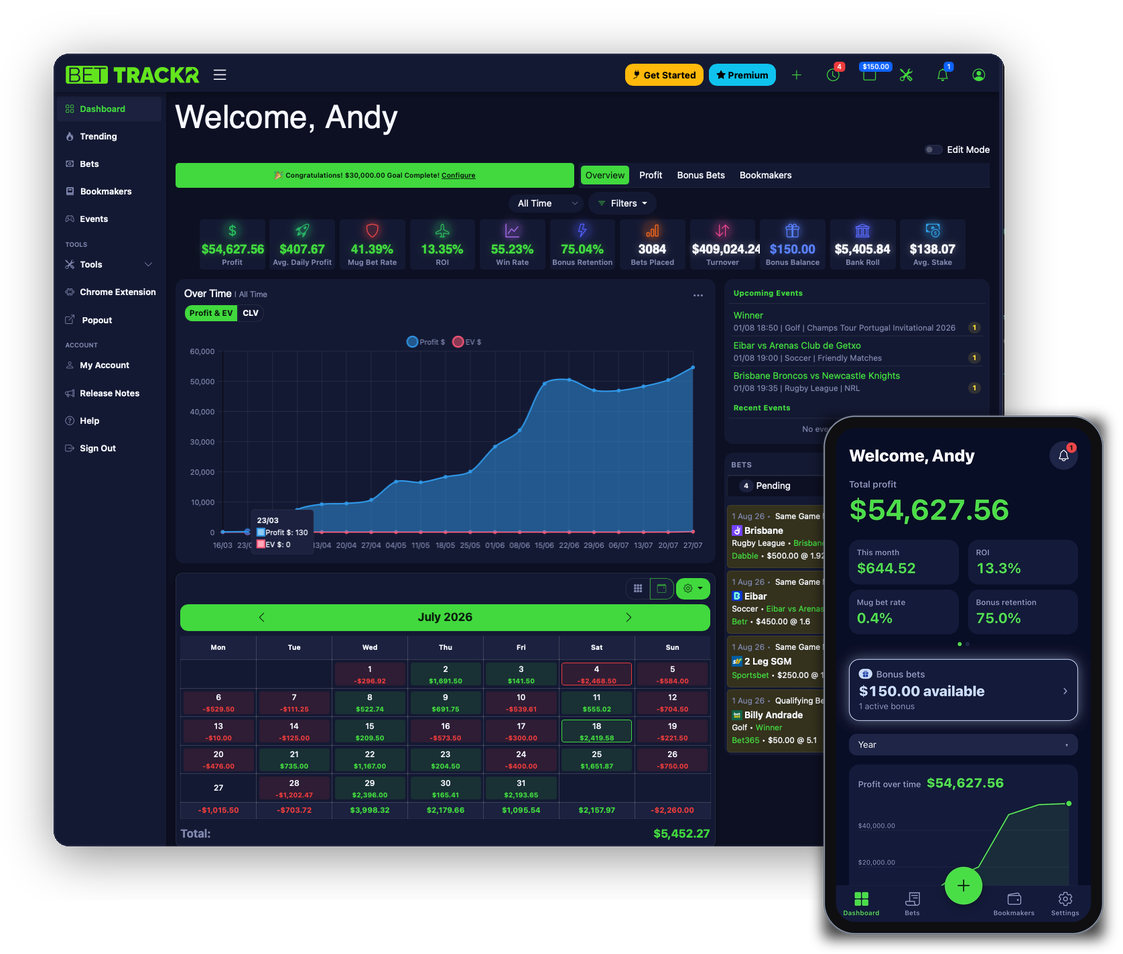
Track every bet, manage every bookmaker, and stay profitable. Built for Australian matched bettors and punters who want to know exactly where they stand.
- Free to use, no credit card required
- Track bets from bookmaker sites with the Chrome Extension
- Auto-sync from Betfair, import from Bonusbank, Sportsbet and CSV
Includes a 7-day free trial of Premium
Get the app
Free on iPhone and Android.
Track bets on every Australian bookmaker. Directly integrated with:
 tab.com.au
 betfair.com.au
 sportsbet.com.au
 bet365.com.au
 ladbrokes.com.au
 pointsbet.com.au
 unibet.com.au
 betr.com.au
 betright.com.au
 tabtouch.com.au
Plus 30+ more bookmakers supported via the Chrome Extension
The Best Way To Track Your Bets
Built for matched bettors. Optimise your strategy, stay profitable.
Track Bets automatically
Install the BetTrackr Chrome Extension and record bets directly from your bookmaker's website. No more switching tabs or copying details manually.
- One-click tracking: capture bets as you place them
- Popup dashboard: view stats without leaving the page
- Balance sync: see your bookmaker balances at a glance
- Back/Lay calculator: work out stakes on the fly
Works on: Sportsbet, TAB, Betfair, Ladbrokes, Neds, Bet365, Pointsbet, Unibet, BetRight, BetR, TabTouch, Palmerbet & BetDeluxe
Download Extension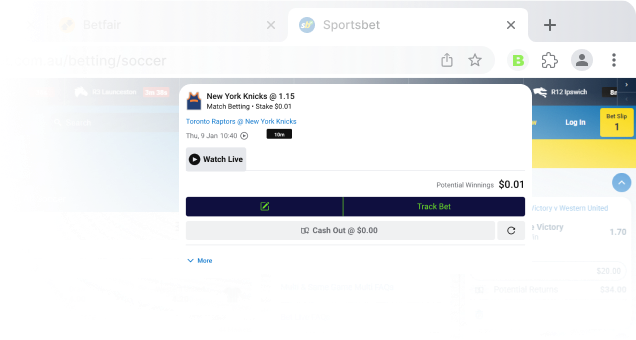
Start with Premium
Premium tracks your bets as you place them. Standard stays free forever.

Premium
7 days free
Everything in Standard, plus:
- Chrome Extension: track bets from bookmaker sites as you place them
- Trending: popular markets, races and promotions
- Back/Lay Calculator
- PDF bet reports: monthly, annual and more
- Black Book: runner watchlist with race-day alerts
- Journal: notes and reflections alongside your bets
Standard
Free
- Track bets across all bookmakers
- Dashboard and analytics
- Betfair auto-sync and auto-resulting
- Import from Bonusbank, Sportsbet and CSV
- Bonus bet tracking, calendar, events and tags

Trusted by Bonusbank members
BetTrackr is proud to partner with Bonusbank – the bet tracker they recommend to their members.
Enterprise Solution
We offer enterprise solutions for businesses, including API access.
Tell us what you need and we'll get back to you.
Contact Us
Get Started In Minutes
Three simple steps to take control of your betting.
1. Sign Up
Create your free account and add your bookmakers.
2. Track Bets
Import, sync, or track bets directly from bookmaker sites with the Chrome Extension.
3. Stay Profitable
Analyse your performance, monitor account health, and never miss a bonus.
Stay Profitable Using the Dashboard
The dashboard gives you a clear, in-depth view of your betting performance. Track profit, ROI and turnover across bookmakers, bet types, sports and more, and drill down to find exactly where your edge is.
Create Free Account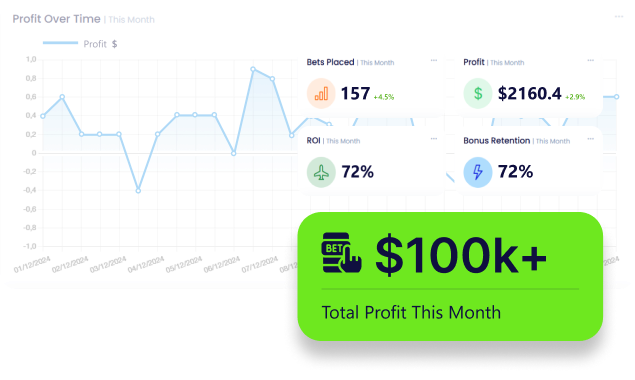

Automate Your Workflow
Sync bets automatically from Betfair, import from Bonusbank and Sportsbet, and let BetTrackr auto-result your pending bets when events finish. Get reminders before your bonus bets expire so you never leave money on the table. Less manual work, more time profiting.
Create Free AccountKeep Your Accounts Open Longer
Bookmaker accounts getting restricted is the biggest threat to your profits. BetTrackr helps you monitor the metrics that matter - mug bet rates, cashflow ratios, and win rates per bookmaker - so you can spot warning signs early and adjust your strategy before it's too late.
Create Free AccountQuestions & Answers
Didn't find the answer to your question? Ask BetTrackr AI below, or send us an email and we will answer as soon as possible.
- Download the Extension Files: Download the BetTrackr Chrome extension files
- Extract the Files: Extract the '.zip file' to a location on your computer.
- Open Chrome: Launch the Google Chrome browser on your computer and navigate to chrome://extensions/
- Enable Developer Mode: On the Extensions page, toggle the switch for Developer mode in the top-right corner.
- Load the Unpacked Extension: Click the Load unpacked button. In the file dialog that appears, navigate to the location where you extracted the extension files and select the folder containing the extension's source code. Click Select Folder.
- Confirm Installation: The extension should now be installed and visible on your Extensions page. You may see an icon for the BetTrackr extension in the top-right corner of the Chrome window.
- Start Using the Extension: Click on the extension icon to login and start tracking your bets on your favourite bookmaker websites!